Press OK
Samsung · LG · Roku · Google TV · Fire TV
The remote
your TV lost.
Zapp turns your iPhone into the actual remote for your television — over your own Wi-Fi, every button working for free, on every TV in the house.
One payment of $12.99. Never a subscription.
Free to use. One-time Pro unlock optional.
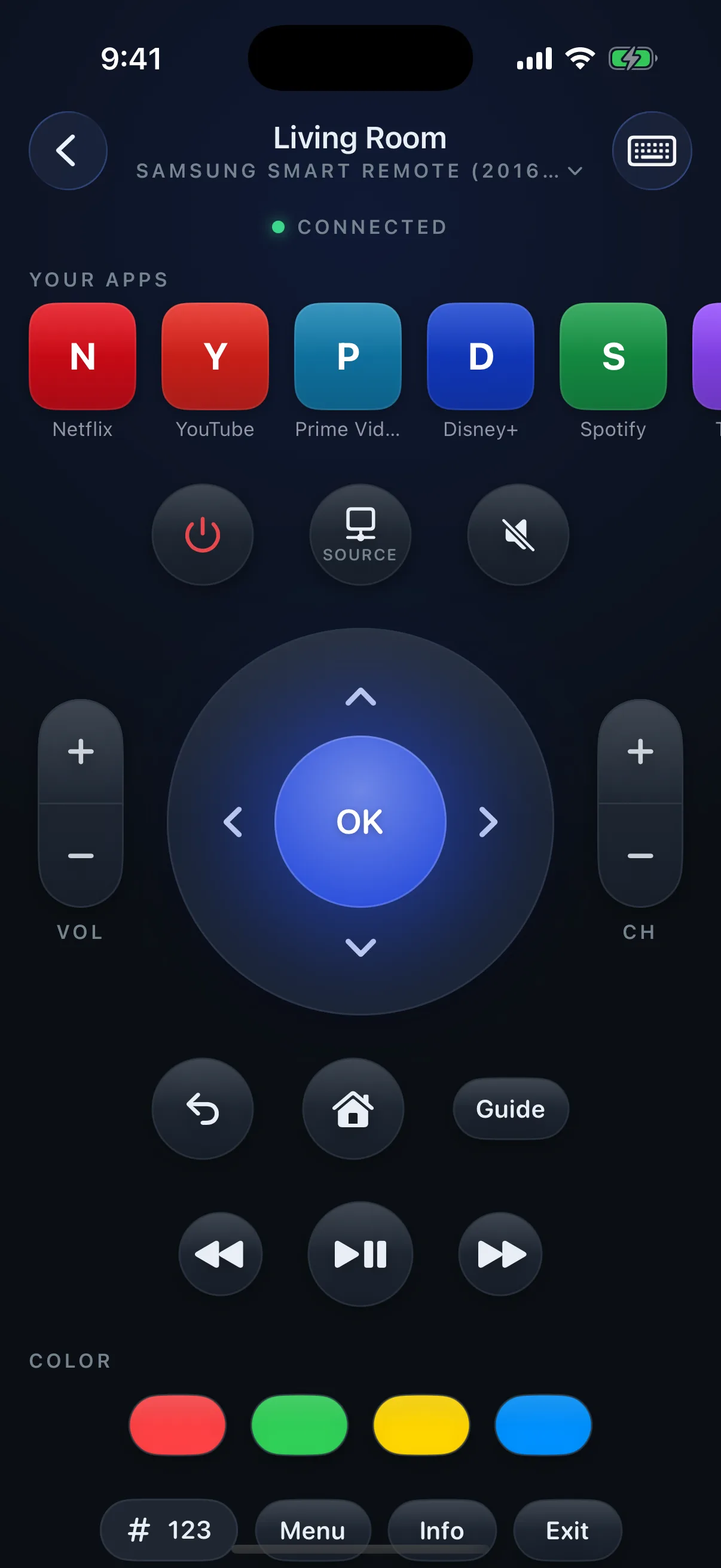
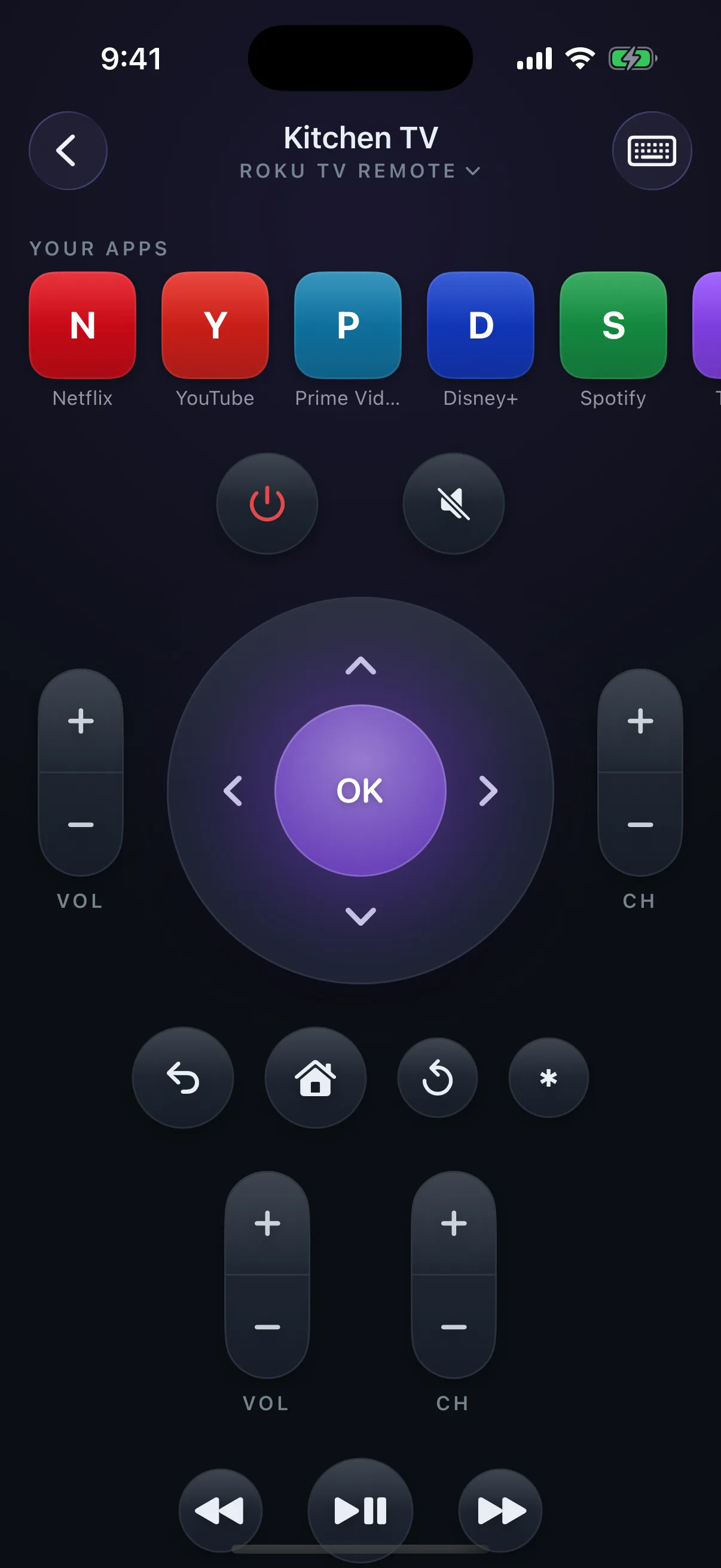
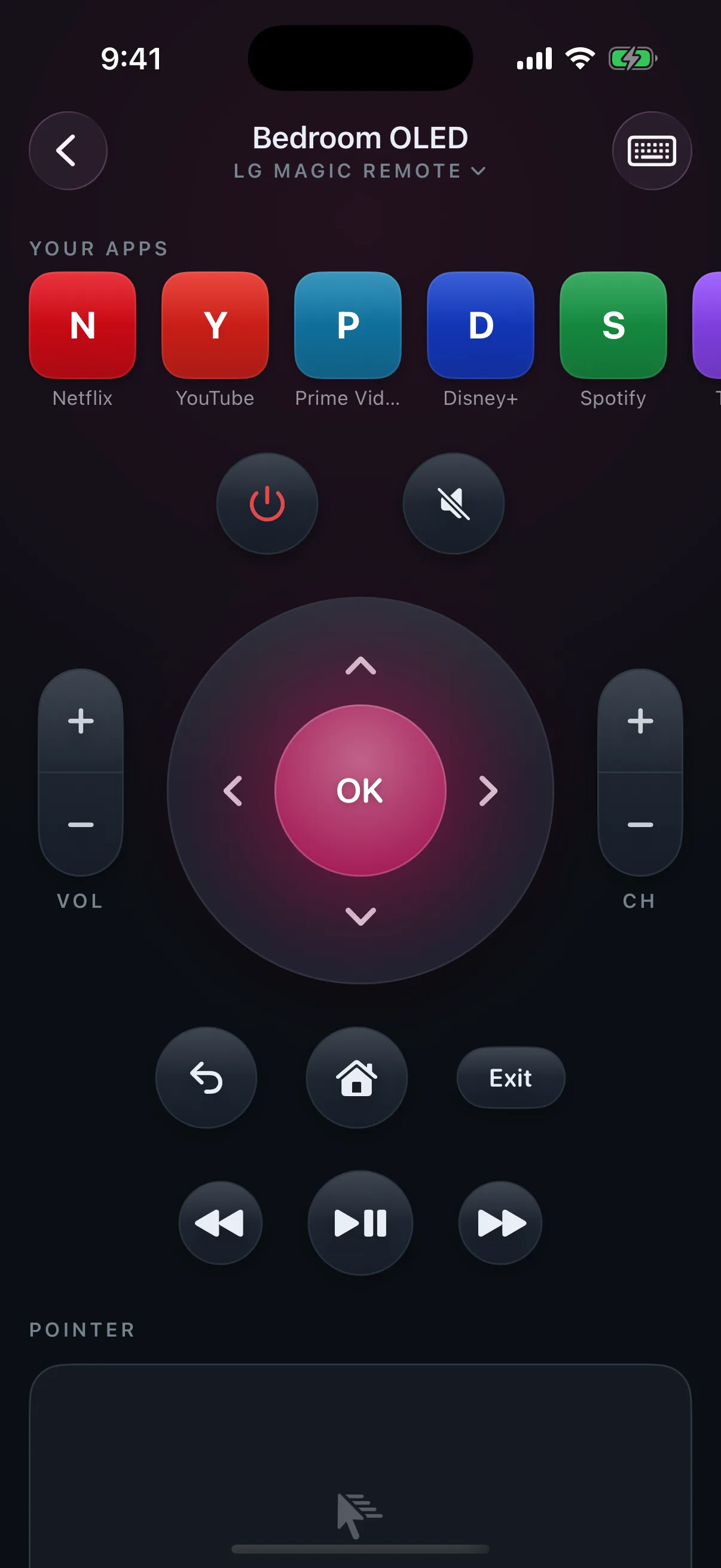
Brand-matched
Three TVs. Three different remotes.
One app.
Zapp reads the brand and model and loads the remote that matches it — layout, keys, even the colour. These are real screens from the app, not mock-ups.
The category has a problem
Remote apps got greedy.
This one didn’t.
Weekly subscriptions, paywalls before the first connection, buttons that do nothing. Every line on the left is a real habit of the best-selling remote apps. Every line on the right is how Zapp behaves.
Most remote apps
Zapp
A generic grid, identical for every TV
Your exact model’s remote, in its colour
Buttons that look real and do nothing
Every key checked against your TV. None are dead
$7–10 a week, forever
$12.99 once — and only if you want the extras
The second TV is a paywall
Every TV in the house, free
Ads between you and the pause button
No ads, no account, no data collected
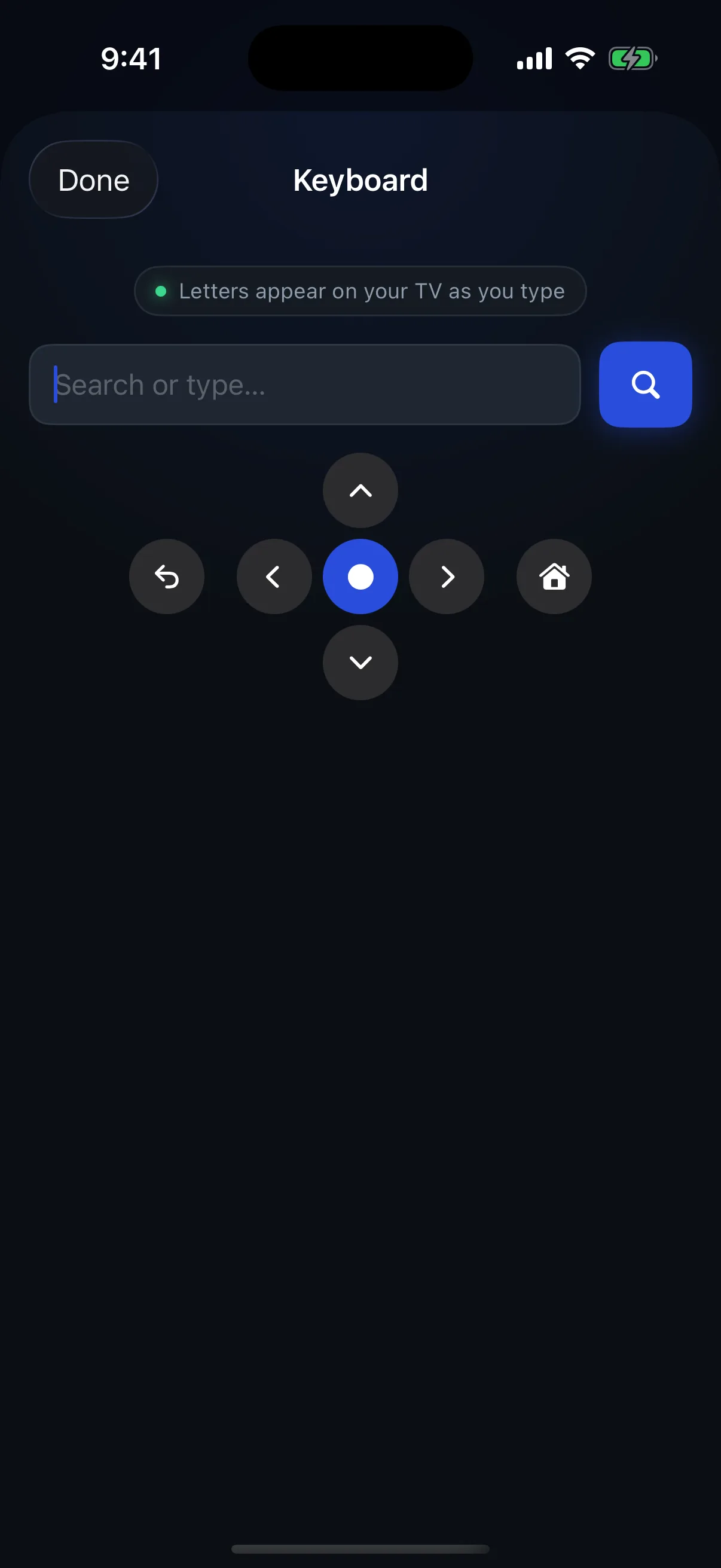
Keyboard · Pro
Type it.
Don’t arrow it.
Search boxes fill from your phone keyboard instead of nudging one letter at a time across the TV’s alphabet grid. On LG, the keyboard opens by itself the moment the television asks for text.
Real inputs
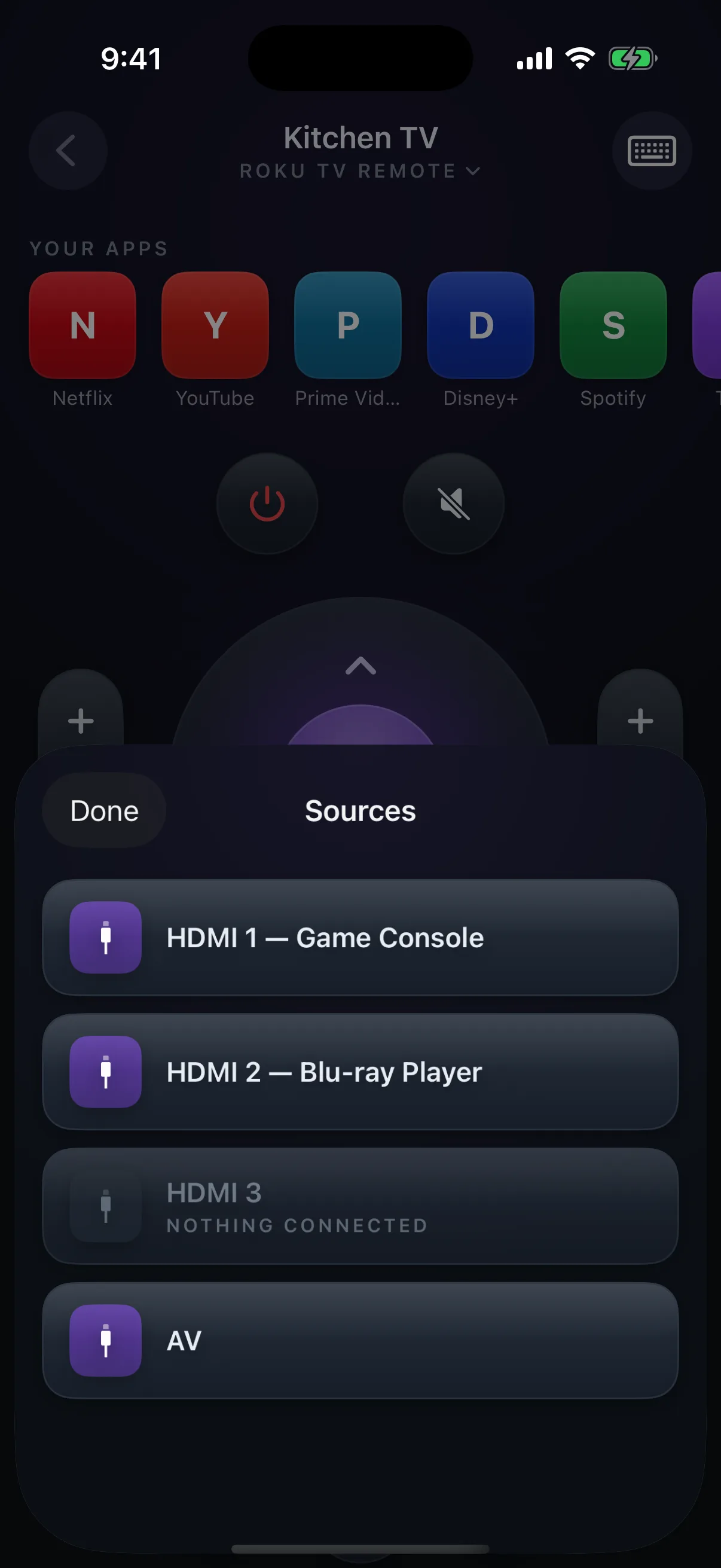
HDMI 1 is your console.
It says so.
The Sources list is read from the television itself — real inputs, with the names your TV gives them, and an honest “nothing connected” on the empty ones. Not a blind toggle that cycles and hopes.
Pricing
Free.
The whole button remote, on every TV you own, forever. That is not a trial — it is the product.
$12.99 once
unlocks four extras, on all your devices, for good:
- A keyboard for TV search boxes
- One-tap shortcuts to the apps on your TV
- The LG Magic Remote pointer
- Waking a TV that’s in standby
NEVER · A · SUBSCRIPTION
Questions
Asked before buying.
Answered straight.
Which TVs does Zapp work with?
Samsung smart TVs from 2016 onwards, LG webOS TVs, Roku TVs and players, Google TV and Android TV, and Fire TV. Your iPhone and the television have to be on the same Wi-Fi network.
Is there a subscription?
No. The whole button remote is free on every TV you own. One optional payment of $12.99 adds a keyboard for TV search boxes, shortcuts to the apps installed on your TV, the LG Magic Remote pointer and waking a TV in standby. There is no subscription anywhere in the app.
Does it work with an old TV that is not smart?
No. Zapp talks to the television over Wi-Fi, so the TV has to be a network-connected smart TV. An iPhone has no infrared, so no iPhone app can control a TV that only accepts an infrared remote.
Does it work with Apple TV?
No, and you do not need it to: every iPhone already includes an Apple TV remote in Control Centre, from Apple. If your Apple TV is plugged into a Samsung or LG television, Zapp still controls the television itself — power, volume and input.
Can it turn the TV on?
Once the TV has been paired, yes, if it supports Wake-on-LAN and is in network standby — that is one of the Pro features. A television that has never been paired cannot be paired while it is fully off; that is a hardware limit, not an app limit.
What data does Zapp collect?
None. There is no account, no analytics, no ads, and no server: the app never contacts us at all. It only talks to televisions on your local network.
Samsung · LG · Roku · Google TV · Fire TV
Your iPhone already is
the better remote.
iPhone · iOS 17 or later